Blog Home
/
How to Take a Compliant Photo Using Irish Passport Digital Photo Requirements

One of the most common, and most avoidable, causes of Irish passport application delays is photo rejection. In fact, failing to meet Irish passport digital photo requirements is a leading reason applicants are asked to resubmit their application.

Start Now
Common Issues
27 May 2026
• Updated
Written by:
Jade S

The Irish Passport Service uses biometrictechnology to assess every digital photo submitted. This means your image ischecked against strict technical standards, including facial positioning,lighting, expression, background, and image quality.

Even if your photo looks acceptable to thenaked eye, a single technical issue can result in rejection. In this guide, weexplain exactly what the Irish Passport Service requires so your photo meetscompliance the first time.

Important Irish Passport Digital PhotoRequirements

Your digital passport photo must be recent,clear, and fully compliant with official standards. If your image quality ispoor or your face is not captured correctly, the Irish Passport Service mayreject your application.

Primary Technical Rules

To meet official Irish passport digitalphoto requirements, your photo must meet the following standards:

Colour photo: Your digital passport photo must be in colour and shouldaccurately reflect your natural skin tone.

Resolution:Images must be at least 715 pixels wide by 951 pixels high, in JPEGformat, and under 9MB.

Background:Use a plain white, cream, or light grey background with no patterns orshadows.

Neutral expression: Look directly at the camera with your mouth closed and both eyesopen. Smiling, raised eyebrows, or exaggerated expressions may lead torejection.

No editing:Filters, beauty enhancements, background removals, and retouching are notpermitted. Your photo must be a true representation of your appearance.

At Eire Passports, we regularly seeapplications delayed due to blurry photos, incorrect framing, or simpletechnical errors, all of which can be avoided.

How to Set Up Your Photo Correctly

lighting-and-background

Choose a plain white or cream wall as yourbackground. Stand slightly away from the wall to prevent shadows behind yourhead.

Natural daylight is ideal because itcreates soft, even lighting across your face. Avoid harsh overhead lighting ordirect flash, which can create glare or uneven shadows.

Camera Placement

Position the camera at eye level andensure it is perfectly straight—not tilted up or down.

If using a smartphone, clean the lensbefore taking your photo to avoid accidental blur.

When you apply for Irish passport online,your head and shoulders should fit naturally within the frame. Avoid croppingtoo tightly, as the Passport Service’s system will automatically crop yourimage.

Framing and Distance

Stand approximately 1 to 1.5 metresfrom the camera. This helps prevent distortion, particularly around the noseand forehead.

Correct distance is essential for meeting Irishpassport digital photo requirements and ensuring your facial proportionsare accurate.

Pose, Facial Expression and Accessories

Correct Body Alignment

Face the camera directly with your headstraight and centred.

Your expression should remain neutral,with:

  • Mouth closed
  • Eyes open
  • Shoulders square to the camera

This allows biometric systems to accuratelymap your facial features.

Glasses and Hair

Although glasses are permitted, they oftencause glare and may lead to rejection. For best results, remove them.

Your hair must not cover:

  • Your eyes
  • Your eyebrows
  • Any part of your face outline

Head coverings are only accepted forreligious or medical reasons and must not obscure facial features.

Attire and Contrast

Avoid wearing white or very light clothing,as it can blend into the background.

Darker colours such as navy, black, or darkgreen provide better contrast and help define your silhouette correctly for Irishpassport photo size processing.

Pose, Facial Expression and Accessories

Correct Body Alignment

Face the camera directly with your headstraight and centred.

Your expression should remain neutral,with:

  • Mouth closed
  • Eyes open
  • Shoulders square to the camera

This allows biometric systems to accuratelymap your facial features.

Glasses and Hair

Although glasses are permitted, they oftencause glare and may lead to rejection. For best results, remove them.

Your hair must not cover:

  • Your eyes
  • Your eyebrows
  • Any part of your face outline

Head coverings are only accepted forreligious or medical reasons and must not obscure facial features.

Attire and Contrast

Avoid wearing white or very light clothing,as it can blend into the background.

Darker colours such as navy, black, or darkgreen provide better contrast and help define your silhouette correctly for Irishpassport photo size processing.

Irish Passport Photo Rules for Infants

Taking a compliant passport photo for ababy can be more challenging, but the same basic rules apply.

Poses for Babies

Infants should:

  • Face the camera directly
  • Have both eyes open (where possible)
  • Be alone in the frame

For babies under 36 months, the IrishPassport Service allows some flexibility with facial expression.

Avoiding Common Errors

Common mistakes include:

  • Parent’s hands visible in the image
  • Toys or dummies in the frame
  • Shadows across the face
  • Busy backgrounds

A useful method is laying your baby on aplain white sheet and taking the photo from directly above.

At Eire Passports, we regularly helpparents ensure infant applications meet Irish passport photo size andphoto compliance requirements the first time.

Common Quality Mistakes

Even photos that look fine on your phonecan fail biometric screening.

Common reasons for rejection include:

Blurry images – often caused by movement or poor focus.

Pixelated uploads – usually from compressed or screenshot images rather than theoriginal file.

Overexposure– bright flash can wash out important facial details.

Edited backgrounds – AI cut-outs or app-generated backgrounds are not accepted.

Beauty filters – even minor enhancements can trigger rejection.

To meet Irish passport digital photorequirements, your image must be a natural, unedited photo.

Why Many Applicants Use Eire Passports

Understanding passport photo rules can beconfusing, especially when a small mistake can delay your application by weeks.

At Eire Passports, we help applicants:

  • Understand current Irish Passport Service requirements
  • Check digital photo compliance before submission
  • Avoid unnecessary delays or resubmissions
  • Apply for Irish passport online  with confidence

Our goal is simple: help you get approvedthe first time.

FAQs

How do I upload my digital passportphoto?

When completing your online application,you’ll be asked to either:

  • Upload a JPEG photo directly from your device, or
  • Enter a Digital Photo Code from an approved provider.

What colours are not allowed in apassport photo?

There are no banned clothing colours, butavoid white or cream clothing, as it may blend into the required lightbackground.

What are the criteria for a digitalpassport photo?

Your photo must:

  • Be in JPEG format
  • Be at least 715 x 951 pixels
  • Be under 9MB
  • Be taken within the last 6 months
  • Show a neutral expression

Can babies smile in Irish passportphotos?

A neutral expression is preferred, but therules are more flexible for infants under 36 months. Their eyes should be openwhere possible, and no other people or objects should appear in the frame.

Conclusion

A compliant passport photo comes down to afew essential factors: sharp focus, correct framing, even lighting, and aneutral expression.

Small mistakes can lead to major delays, butfollowing official Irish passport digital photo requirements greatlyimproves your chances of first-time approval.

Need help? Eire Passports can reviewyour photo and guide you through the process before you submit.

Contact us today for expert support.
Blog Home
/
How to Take a Compliant Photo Using Irish Passport Digital Photo Requirements

One of the most common, and most avoidable, causes of Irish passport application delays is photo rejection. In fact, failing to meet Irish passport digital photo requirements is a leading reason applicants are asked to resubmit their application.

Start Now
Common Issues
27 May 2026
• Updated
Written by:
Jade S

The Irish Passport Service uses biometrictechnology to assess every digital photo submitted. This means your image ischecked against strict technical standards, including facial positioning,lighting, expression, background, and image quality.

Even if your photo looks acceptable to thenaked eye, a single technical issue can result in rejection. In this guide, weexplain exactly what the Irish Passport Service requires so your photo meetscompliance the first time.

Important Irish Passport Digital PhotoRequirements

Your digital passport photo must be recent,clear, and fully compliant with official standards. If your image quality ispoor or your face is not captured correctly, the Irish Passport Service mayreject your application.

Primary Technical Rules

To meet official Irish passport digitalphoto requirements, your photo must meet the following standards:

Colour photo: Your digital passport photo must be in colour and shouldaccurately reflect your natural skin tone.

Resolution:Images must be at least 715 pixels wide by 951 pixels high, in JPEGformat, and under 9MB.

Background:Use a plain white, cream, or light grey background with no patterns orshadows.

Neutral expression: Look directly at the camera with your mouth closed and both eyesopen. Smiling, raised eyebrows, or exaggerated expressions may lead torejection.

No editing:Filters, beauty enhancements, background removals, and retouching are notpermitted. Your photo must be a true representation of your appearance.

At Eire Passports, we regularly seeapplications delayed due to blurry photos, incorrect framing, or simpletechnical errors, all of which can be avoided.

How to Set Up Your Photo Correctly

lighting-and-background

Choose a plain white or cream wall as yourbackground. Stand slightly away from the wall to prevent shadows behind yourhead.

Natural daylight is ideal because itcreates soft, even lighting across your face. Avoid harsh overhead lighting ordirect flash, which can create glare or uneven shadows.

Camera Placement

Position the camera at eye level andensure it is perfectly straight—not tilted up or down.

If using a smartphone, clean the lensbefore taking your photo to avoid accidental blur.

When you apply for Irish passport online,your head and shoulders should fit naturally within the frame. Avoid croppingtoo tightly, as the Passport Service’s system will automatically crop yourimage.

Framing and Distance

Stand approximately 1 to 1.5 metresfrom the camera. This helps prevent distortion, particularly around the noseand forehead.

Correct distance is essential for meeting Irishpassport digital photo requirements and ensuring your facial proportionsare accurate.

Pose, Facial Expression and Accessories

Correct Body Alignment

Face the camera directly with your headstraight and centred.

Your expression should remain neutral,with:

  • Mouth closed
  • Eyes open
  • Shoulders square to the camera

This allows biometric systems to accuratelymap your facial features.

Glasses and Hair

Although glasses are permitted, they oftencause glare and may lead to rejection. For best results, remove them.

Your hair must not cover:

  • Your eyes
  • Your eyebrows
  • Any part of your face outline

Head coverings are only accepted forreligious or medical reasons and must not obscure facial features.

Attire and Contrast

Avoid wearing white or very light clothing,as it can blend into the background.

Darker colours such as navy, black, or darkgreen provide better contrast and help define your silhouette correctly for Irishpassport photo size processing.

Irish Passport Photo Rules for Infants

Taking a compliant passport photo for ababy can be more challenging, but the same basic rules apply.

Poses for Babies

Infants should:

  • Face the camera directly
  • Have both eyes open (where possible)
  • Be alone in the frame

For babies under 36 months, the IrishPassport Service allows some flexibility with facial expression.

Avoiding Common Errors

Common mistakes include:

  • Parent’s hands visible in the image
  • Toys or dummies in the frame
  • Shadows across the face
  • Busy backgrounds

A useful method is laying your baby on aplain white sheet and taking the photo from directly above.

At Eire Passports, we regularly helpparents ensure infant applications meet Irish passport photo size andphoto compliance requirements the first time.

Common Quality Mistakes

Even photos that look fine on your phonecan fail biometric screening.

Common reasons for rejection include:

Blurry images – often caused by movement or poor focus.

Pixelated uploads – usually from compressed or screenshot images rather than theoriginal file.

Overexposure– bright flash can wash out important facial details.

Edited backgrounds – AI cut-outs or app-generated backgrounds are not accepted.

Beauty filters – even minor enhancements can trigger rejection.

To meet Irish passport digital photorequirements, your image must be a natural, unedited photo.

Why Many Applicants Use Eire Passports

Understanding passport photo rules can beconfusing, especially when a small mistake can delay your application by weeks.

At Eire Passports, we help applicants:

  • Understand current Irish Passport Service requirements
  • Check digital photo compliance before submission
  • Avoid unnecessary delays or resubmissions
  • Apply for Irish passport online  with confidence

Our goal is simple: help you get approvedthe first time.

FAQs

How do I upload my digital passportphoto?

When completing your online application,you’ll be asked to either:

  • Upload a JPEG photo directly from your device, or
  • Enter a Digital Photo Code from an approved provider.

What colours are not allowed in apassport photo?

There are no banned clothing colours, butavoid white or cream clothing, as it may blend into the required lightbackground.

What are the criteria for a digitalpassport photo?

Your photo must:

  • Be in JPEG format
  • Be at least 715 x 951 pixels
  • Be under 9MB
  • Be taken within the last 6 months
  • Show a neutral expression

Can babies smile in Irish passportphotos?

A neutral expression is preferred, but therules are more flexible for infants under 36 months. Their eyes should be openwhere possible, and no other people or objects should appear in the frame.

Conclusion

A compliant passport photo comes down to afew essential factors: sharp focus, correct framing, even lighting, and aneutral expression.

Small mistakes can lead to major delays, butfollowing official Irish passport digital photo requirements greatlyimproves your chances of first-time approval.

Need help? Eire Passports can reviewyour photo and guide you through the process before you submit.

Contact us today for expert support.
Blog Home
/
How to Take a Compliant Photo Using Irish Passport Digital Photo Requirements

How to Take a Compliant Photo Using Irish Passport Digital Photo Requirements

One of the most common, and most avoidable, causes of Irish passport application delays is photo rejection. In fact, failing to meet Irish passport digital photo requirements is a leading reason applicants are asked to resubmit their application.

Start Now
Common Issues
27 May 2026
• Updated
Written by:
Jade S

The Irish Passport Service uses biometrictechnology to assess every digital photo submitted. This means your image ischecked against strict technical standards, including facial positioning,lighting, expression, background, and image quality.

Even if your photo looks acceptable to thenaked eye, a single technical issue can result in rejection. In this guide, weexplain exactly what the Irish Passport Service requires so your photo meetscompliance the first time.

Important Irish Passport Digital PhotoRequirements

Your digital passport photo must be recent,clear, and fully compliant with official standards. If your image quality ispoor or your face is not captured correctly, the Irish Passport Service mayreject your application.

Primary Technical Rules

To meet official Irish passport digitalphoto requirements, your photo must meet the following standards:

Colour photo: Your digital passport photo must be in colour and shouldaccurately reflect your natural skin tone.

Resolution:Images must be at least 715 pixels wide by 951 pixels high, in JPEGformat, and under 9MB.

Background:Use a plain white, cream, or light grey background with no patterns orshadows.

Neutral expression: Look directly at the camera with your mouth closed and both eyesopen. Smiling, raised eyebrows, or exaggerated expressions may lead torejection.

No editing:Filters, beauty enhancements, background removals, and retouching are notpermitted. Your photo must be a true representation of your appearance.

At Eire Passports, we regularly seeapplications delayed due to blurry photos, incorrect framing, or simpletechnical errors, all of which can be avoided.

How to Set Up Your Photo Correctly

lighting-and-background

Choose a plain white or cream wall as yourbackground. Stand slightly away from the wall to prevent shadows behind yourhead.

Natural daylight is ideal because itcreates soft, even lighting across your face. Avoid harsh overhead lighting ordirect flash, which can create glare or uneven shadows.

Camera Placement

Position the camera at eye level andensure it is perfectly straight—not tilted up or down.

If using a smartphone, clean the lensbefore taking your photo to avoid accidental blur.

When you apply for Irish passport online,your head and shoulders should fit naturally within the frame. Avoid croppingtoo tightly, as the Passport Service’s system will automatically crop yourimage.

Framing and Distance

Stand approximately 1 to 1.5 metresfrom the camera. This helps prevent distortion, particularly around the noseand forehead.

Correct distance is essential for meeting Irishpassport digital photo requirements and ensuring your facial proportionsare accurate.

Pose, Facial Expression and Accessories

Correct Body Alignment

Face the camera directly with your headstraight and centred.

Your expression should remain neutral,with:

  • Mouth closed
  • Eyes open
  • Shoulders square to the camera

This allows biometric systems to accuratelymap your facial features.

Glasses and Hair

Although glasses are permitted, they oftencause glare and may lead to rejection. For best results, remove them.

Your hair must not cover:

  • Your eyes
  • Your eyebrows
  • Any part of your face outline

Head coverings are only accepted forreligious or medical reasons and must not obscure facial features.

Attire and Contrast

Avoid wearing white or very light clothing,as it can blend into the background.

Darker colours such as navy, black, or darkgreen provide better contrast and help define your silhouette correctly for Irishpassport photo size processing.

Irish Passport Photo Rules for Infants

Taking a compliant passport photo for ababy can be more challenging, but the same basic rules apply.

Poses for Babies

Infants should:

  • Face the camera directly
  • Have both eyes open (where possible)
  • Be alone in the frame

For babies under 36 months, the IrishPassport Service allows some flexibility with facial expression.

Avoiding Common Errors

Common mistakes include:

  • Parent’s hands visible in the image
  • Toys or dummies in the frame
  • Shadows across the face
  • Busy backgrounds

A useful method is laying your baby on aplain white sheet and taking the photo from directly above.

At Eire Passports, we regularly helpparents ensure infant applications meet Irish passport photo size andphoto compliance requirements the first time.

Common Quality Mistakes

Even photos that look fine on your phonecan fail biometric screening.

Common reasons for rejection include:

Blurry images – often caused by movement or poor focus.

Pixelated uploads – usually from compressed or screenshot images rather than theoriginal file.

Overexposure– bright flash can wash out important facial details.

Edited backgrounds – AI cut-outs or app-generated backgrounds are not accepted.

Beauty filters – even minor enhancements can trigger rejection.

To meet Irish passport digital photorequirements, your image must be a natural, unedited photo.

Why Many Applicants Use Eire Passports

Understanding passport photo rules can beconfusing, especially when a small mistake can delay your application by weeks.

At Eire Passports, we help applicants:

  • Understand current Irish Passport Service requirements
  • Check digital photo compliance before submission
  • Avoid unnecessary delays or resubmissions
  • Apply for Irish passport online  with confidence

Our goal is simple: help you get approvedthe first time.

FAQs

How do I upload my digital passportphoto?

When completing your online application,you’ll be asked to either:

  • Upload a JPEG photo directly from your device, or
  • Enter a Digital Photo Code from an approved provider.

What colours are not allowed in apassport photo?

There are no banned clothing colours, butavoid white or cream clothing, as it may blend into the required lightbackground.

What are the criteria for a digitalpassport photo?

Your photo must:

  • Be in JPEG format
  • Be at least 715 x 951 pixels
  • Be under 9MB
  • Be taken within the last 6 months
  • Show a neutral expression

Can babies smile in Irish passportphotos?

A neutral expression is preferred, but therules are more flexible for infants under 36 months. Their eyes should be openwhere possible, and no other people or objects should appear in the frame.

Conclusion

A compliant passport photo comes down to afew essential factors: sharp focus, correct framing, even lighting, and aneutral expression.

Small mistakes can lead to major delays, butfollowing official Irish passport digital photo requirements greatlyimproves your chances of first-time approval.

Need help? Eire Passports can reviewyour photo and guide you through the process before you submit.

Contact us today for expert support.
Share this post:
About the author
Jade S
Founder, ÉirePassports
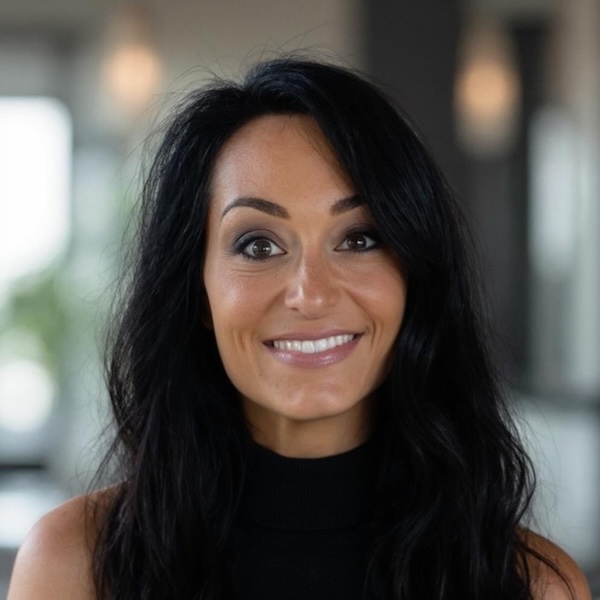
Jade is the Co-Founder of Éire Passports, with extensive experience in British and Irish passport renewals and first-time applications. Known for attention to detail, a friendly and personable approach, and expertise in complex cases, Jade is dedicated to making the passport process simple and stress-free for every client.

Disclaimer: ÉirePassports is an independent service helping people worldwide apply for Irish passports. We are not affiliated with the Department of Foreign Affairs (DFA). For official information, visit dfa.ie